

Description
Put your best-selling WooCommerce products in front of shoppers – in posts, pages, or widgets – with a simple, customizable Gutenberg block.
Why Popular Products Block for WooCommerce?
Shoppers trust what other people are already buying. Popular Products Block for WooCommerce lets you showcase your most popular products in block widgets or anywhere in the block editor area, turning social proof into sales.
Filter which products appear with query options like stock and category filters, control the layout per device for full responsiveness, and show or hide each product element to match your store’s design – all from the block sidebar. A universal shortcode also makes it compatible with all page builders.
Free Features
- Universal Shortcodes: Compatible with all page builders.
- Query Controls: Display products by query – filter by stock, category, and more.
- Responsive Layout: Set different column counts per device, plus custom column and row gaps.
- Element Show/Hide: Toggle product image, title, rating, price, and add-to-cart button.
Pro Version
The Pro version includes everything in the free version, plus deeper design control.
Pro features include:
- Templates: 2+ ready-to-use templates.
- Element Visibility Control: Show or hide any product element as needed.
- Price & Discount Control: Manage product prices and discount tags easily.
- Color & Typography Settings: Customize colors and typography for all elements.
- Product Card Styling: Control background, padding, and shadow options.
- Image Customization: Adjust image width, height, and object-fit settings.
- Section Styling: Customize section padding, margin, and background.
- Review Count Display: Show review counts with styling options.
- Average Rating Display: Control rating colors and typography.
- Responsive & Beginner-Friendly: Fully mobile-friendly and simple to customize.
How to Use – Quick Start
- Install and activate the Popular Products Block for WooCommerce plugin.
- In the Gutenberg editor, add the WooCommerce Popular Products block from the “Widgets” block category.
- Adjust the query, layout, and element visibility from the right-side settings sidebar.
- Publish – your most popular products are live!
For installation help, see the Installation tab.
Use Cases
- Home pages: Greet visitors with the products shoppers love most.
- Landing pages: Reinforce campaigns with proven best-sellers.
- Blog posts: Add relevant popular products inside content to drive purchases.
- Sidebar widgets: Keep top products visible throughout the store.
Did you like this plugin? Dislike it? Do you have a feature request? Please share your feedback with us
Check out the Parent Plugin of this plugin-
bBlocks – A blocks collection and page building tool for Gutenberg.
Check out our other WordPress Plugins-
Html5 Video Player – Display videos as single and playlist in multiple skins.
PDF Poster – Display/Embed PDF files with different styles.
Html5 Audio Player – Listen audios with awesome visuals.
StreamCast – Customizable radio player with different skins.
3D Viewer – Embed 3D models and 3D products with interaction.
Advanced Post Block – Show posts and custom posts in different layouts.
Screenshots

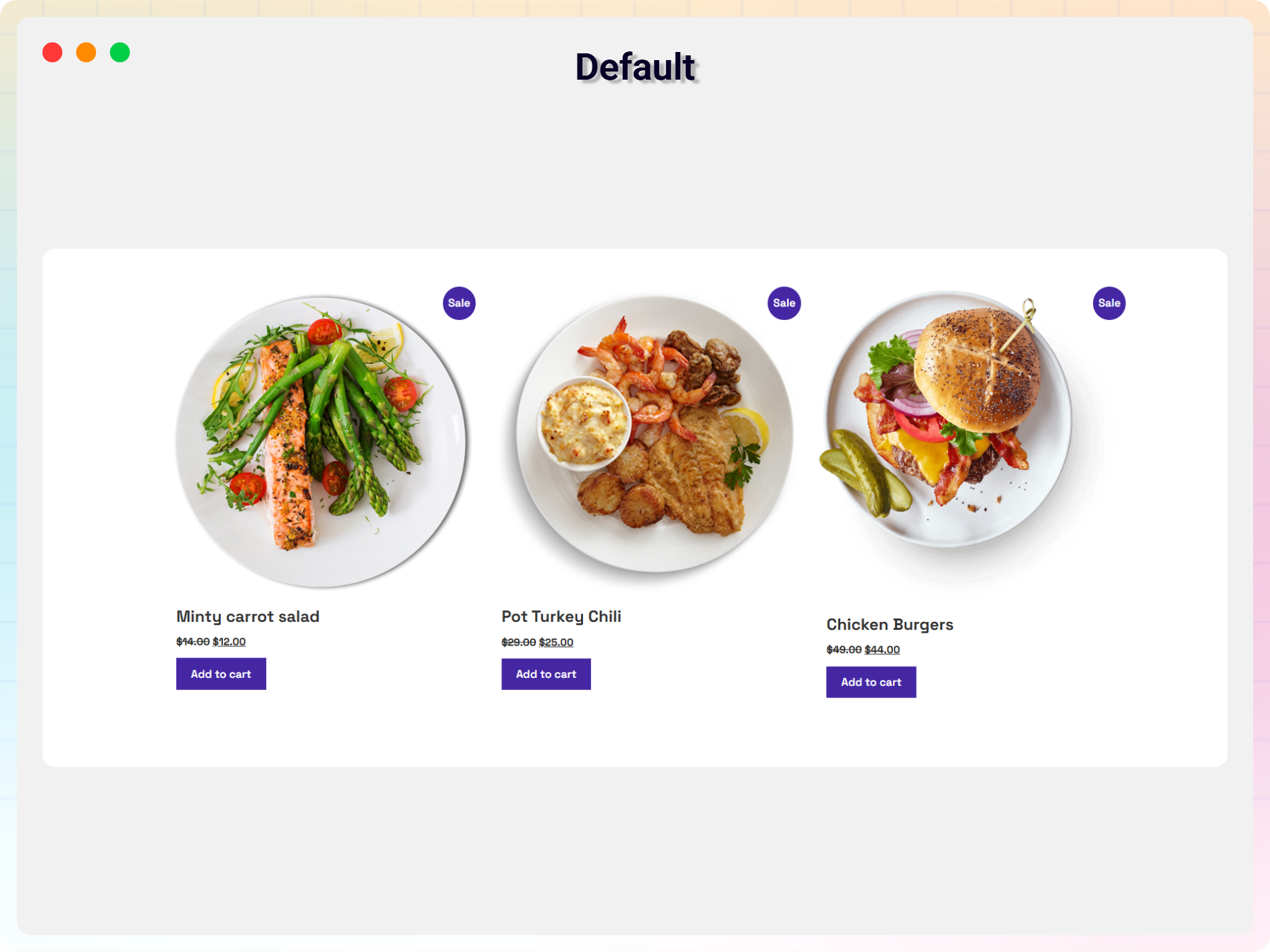
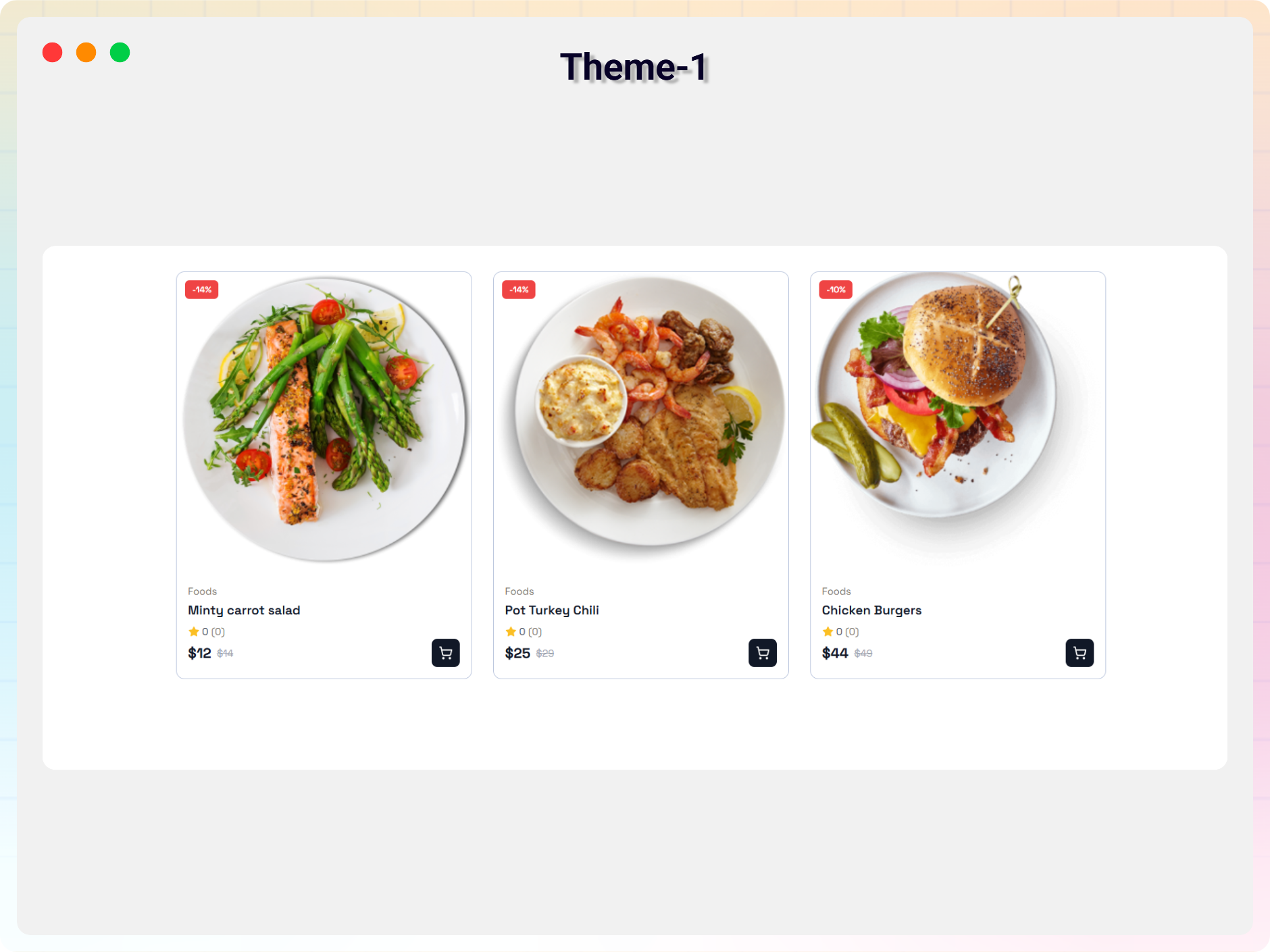
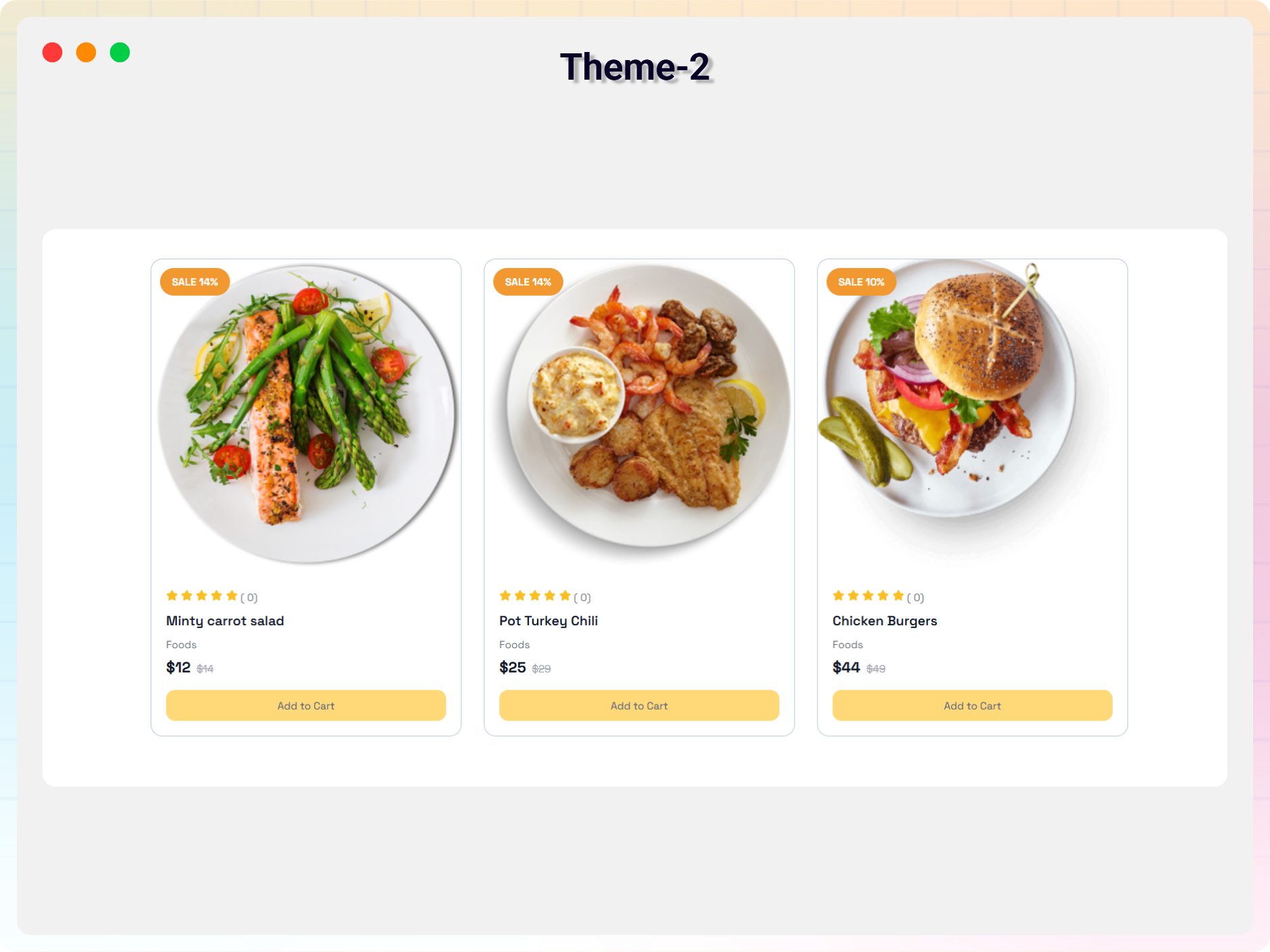
Blocks
This plugin provides 1 block.
- WooCommerce Popular Products Display WooCommerce Popular Products
Installation
From your WordPress dashboard (recommended):
- Go to Plugins Add New.
- Search for “Popular Products Block”.
- Click Install Now, then Activate.
- In the block editor, search for the WooCommerce Popular Products block and add it to any page or post.
Manual installation:
- Download the plugin (.zip file).
- In your admin area, go to Plugins Add New and click Upload Plugin.
- Choose the
popular-products-block.zipfile and click Install Now. - Activate the plugin – or upload the extracted folder to
/wp-content/plugins/and activate from the Plugins menu.
FAQ
-
Is Popular Products Block for WooCommerce free?
-
Yes, it is a free Gutenberg block plugin. A Pro version adds templates and advanced styling controls.
-
Does it work with any WordPress theme?
-
Yes, it works with any standard WordPress theme.
-
Can I use it with page builders other than Gutenberg?
-
Yes. The plugin provides universal shortcodes that are compatible with all page builders.
-
Can I filter which products are displayed?
-
Yes. You can display products by query, including stock and category filters.
-
Yes. You can show or hide product elements such as the product image, title, rating, price, and add-to-cart button.
-
Can I change block settings?
-
Yes, you can change all block settings from the Gutenberg block editor’s right sidebar.
-
How many times can I reuse the block?
-
You can use it unlimited times across your site.
-
Where can I get support?
-
You can post your questions on the support forum here.
Reviews
There are no reviews for this plugin.
Contributors & Developers
“Popular Products Block for WooCommerce – highlight your top sellers” is open source software. The following people have contributed to this plugin.
Contributors


Translate “Popular Products Block for WooCommerce – highlight your top sellers” into your language.
Interested in development?
Browse the code, check out the SVN repository, or subscribe to the development log by RSS.
Changelog
2.0.1 – 08 July, 2026
- Added a modern and intuitive dashboard layout.
2.0.0 – 24 June, 2026
- Fixed CDN loading issue on page load
1.0.1 – 24 Mar 24
- Fix image size issue.
1.0.0
- Initial Release.