
Description
This plugin is an extension for SportsPress.
Give your league managers the option to use more advanced Sorting Criteria for your League Tables.
Now is possible to select different Sorting Criteria for each League Table!
How to Use
Step 1: Create Sorting Criteria
- Go to SportsPress -> Teams -> Sorting Criteria in your WordPress admin.
- Click “Add New Criterion”.
- Give your criterion a descriptive name (e.g., “Premier League Style”, “Champions League Rules”).
Step 2: Configure Regular Order
In the “Regular Order” section:
- Drag and drop the columns in the order you want them to be considered for initial sorting.
- Toggle the switch to disable criteria you do not want.
- Set sort direction (Ascending/Descending) for each column.
This determines the primary sorting order when teams have different points.
Step 3: Configure Tiebreak Order
In the “Tiebreak Order” section:
- Drag and drop columns in the order they should be used for tiebreakers.
- Toggle the switch to disable criteria you do not want.
- Set sort direction for each column.
- Enable the “H2H Only” checkbox for columns that should only consider head-to-head results.
This determines how teams are ranked when they have the same points.
Step 4: Review the Summary
The “Sorting Criteria Summary” sidebar shows:
- Your configured regular order.
- Your configured tiebreak order.
- A clear overview of your sorting rules.
Step 5: Apply to League Tables
- Go to SportsPress -> Tables.
- Edit an existing league table or create a new one.
- In the sidebar, find the “Advanced Sorting Criteria” meta box.
- Select your custom sorting criterion from the dropdown.
- Save the league table.
Examples
Premier League Style:
- Regular Order: Points (DESC), Goal Difference (DESC), Goals For (DESC)
- Tiebreak Order: Points (DESC), Goal Difference (DESC), Goals For (DESC), Goals Away (DESC)
Champions League Style:
- Regular Order: Points (DESC), Goal Difference (DESC), Goals For (DESC)
- Tiebreak Order: Points (DESC), Head-to-Head Points (DESC), Head-to-Head Goal Difference (DESC), Goal Difference (DESC)
Screenshots
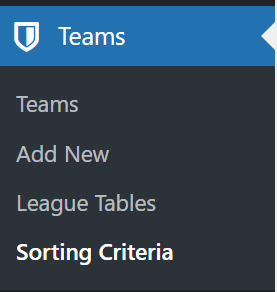
The new CPT Sorting Criteria at SportsPress Teams Menu 
“Regular” Order priorities (Pts, GD, F) i.e. Premier League 
Tiebreak Order priorities (Pts, Goal Away) i.e. Premier League 
Sorting Criteria Summary i.e. Premier League 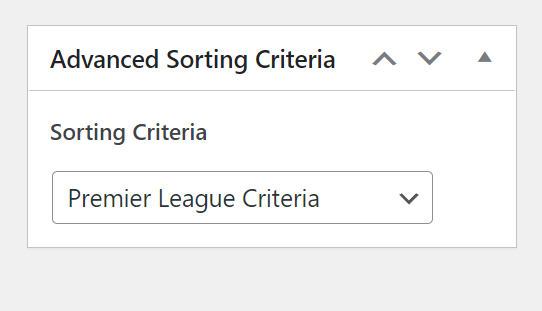
Selection of Sorting Criterion at your League Table Edit Page.
Installation
- Install and activate Advanced H2H for SportsPress plugin.
- Create your own Sorting Criterion at
SportsPress->Teams->Sorting Criteria. - Select your preferred Sorting Criterion for your League Table
- Enjoy!
Credits
Reviews


Contributors & Developers
“Advanced H2H for SportsPress” is open source software. The following people have contributed to this plugin.
Contributors
“Advanced H2H for SportsPress” has been translated into 1 locale. Thank you to the translators for their contributions.
Translate “Advanced H2H for SportsPress” into your language.
Interested in development?
Browse the code, check out the SVN repository, or subscribe to the development log by RSS.
Changelog
2.1.2
- FIX: Fatal TypeError “Unsupported operand types: int + string” on PHP 8+ when
sp_minutesevent meta is empty or non-numeric.
2.1.1
- FIX: Highlight team feature is not working.
2.1.0
- UPDATE: Update league-table template to latest version.
2.0.2
- FIX: Avoid blank page if SportsPress is not activated.
2.0.1
- FIX: Error if the plugin is loaded before SportsPress.
2.0.0
- NEW: Sorting Criteria Custom Post Type (see screenshots)
- NEW: Ability to choose for each League Table which ordering criteria to use! (see screenshots)
1.0.0
- First Release!